
1
Subscriptions for one job
Leads in one tool, measurements in another, estimates, scheduling, supplier orders and invoices in three more. Every one is its own bill, and every one holds a piece of the same customer.
For roofing companies
Most roofing companies run on five tools that don't talk to each other. RoofAI replaces the pile: every lead, job, measurement, estimate, crew, supplier order, storm claim and invoice lives in one system, and the field sees the same thing the office does.
Works on the web and in the field. Takes about a minute to get started.

Let's start with the money
You don't need a bigger team to make more. Most of the leak is in the way the work is run, and it shows up in three places.
Leads in one tool, measurements in another, estimates, scheduling, supplier orders and invoices in three more. Every one is its own bill, and every one holds a piece of the same customer.
When the lead, the job, the estimate and the invoice live in different places, someone re-keys the same details each time. That is paid time, and it is where numbers and jobs get lost.
Proposals still awaiting a signature and invoices going overdue are easy to miss when they are scattered. In RoofAI they sit on the dashboard instead of in a spreadsheet.
What it replaces
Not a general-purpose CRM with a roofing template bolted on. Each part is built for how roofing work actually moves, and they share one record of the customer.
Door knocks, referrals and storm canvassing land in one list, assigned to the rep who owns them. RoofAI flags a customer who is about to be entered twice.
Every job carries its own stage, photos, documents, tasks and timeline, so "where is this one actually up to?" has an answer instead of a phone call.
Roof measurements attach to the property, not to someone's inbox, and flow straight into the estimate instead of being re-keyed.
Build from your own materials and pricing, send a proposal the homeowner can sign, and watch the ones still awaiting signature instead of guessing.
Schedule crews and subcontractors against real jobs, track who is on site, and keep subcontractor insurance current before they are dispatched.
Order materials against the job they belong to, keep supplier pricing in one catalogue, and stop reconciling delivery tickets against memory.
Storm alerts, a canvassing map and a lead pipeline built for the week after the hail, so the crew that gets there first is yours.
Turn a signed estimate into an invoice, track what is overdue on the dashboard rather than in a spreadsheet, and reconcile against your books.
How it works
The same customer record carries all the way through. Nothing is re-typed at a handoff, which is where most of it used to get lost.
A knock, referral or storm canvass is captured on the spot and assigned to a rep.
It becomes a job with a property, a stage and an owner, the record everything else hangs off.
Measurements and your pricing become a proposal the homeowner can sign.
Materials are ordered, a crew is scheduled, and the field logs photos and progress.
The signed job becomes an invoice, and what is still owed stays visible until it is paid.
Set expectations
In the field
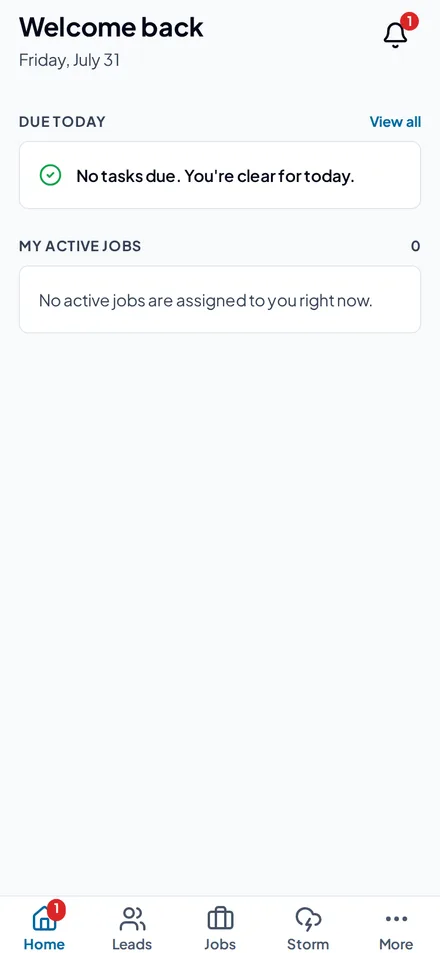
Reps and crews get a real app, not a cut-down web page, the jobs assigned to them, the leads the office handed over, and the storm map, all on the same records the office is looking at.
Before you get started
It depends on what you pay for today. Most roofing companies run on separate tools for leads, measurements, estimates, scheduling, supplier orders and invoicing. Those separate subscriptions, and the time spent moving the same customer between them, are what RoofAI replaces. Your number is whatever those add up to, and we'll go through yours with you.
No. It is not a general-purpose CRM with a roofing template bolted on. Each part is built for how roofing work actually moves, and they all share one record of the customer, from the first knock to the final payment.
Yes. Reps and crews get a real app, not a cut-down web page: the jobs assigned to them, the leads the office handed over and the storm map, all on the same records the office is looking at. Captured work queues up and syncs when the phone gets signal back.
RoofAI turns a signed estimate into an invoice, shows what is overdue on the dashboard, and reconciles against your books.
You'll answer a few quick questions about your company, then the RoofAI team will be in touch.
Your move
Put the whole operation on one system. Start with your next lead and follow it all the way to the invoice, with the office and the field on the same records from day one.